Real-Time Market Data API
One endpoint, one token, every exchange. viaNexus serves end-of-day prices, corporate actions, dividends, reference data, and technical indicators through a single REST API. The same URL pattern works for Apple on NASDAQ, Vodafone on the London Stock Exchange, and SAP on XETRA. You write one integration and it covers global equities.
A real response
Here is what you get back when you pull Apple's last 3 trading days:
GET /v1/data/edge/historical_prices/AAPL-US?token=YOUR_TOKEN&last=3[
{
"symbol": "AAPL-US",
"priceDate": "2026-11-11",
"open": 228.52, "high": 230.10, "low": 227.38, "close": 229.75,
"volume": 48312600,
"fopen": 228.52, "fhigh": 230.10, "flow": 227.38, "fclose": 229.75
},
{
"symbol": "AAPL-US",
"priceDate": "2026-11-10",
"open": 226.80, "high": 229.44, "low": 226.01, "close": 228.90,
"volume": 51208400,
"fopen": 226.80, "fhigh": 229.44, "flow": 226.01, "fclose": 228.90
},
...
]Three price variants per field: split-adjusted (open, close), fully adjusted for splits and dividends (fopen, fclose), and unadjusted (uopen, uclose). Pick the one your model needs. Most quant workflows use the fully adjusted series.
Global exchange coverage
| Region | Exchanges | Symbol examples |
|---|---|---|
| North America | NYSE, NASDAQ, NYSE American | AAPL-US, MSFT-US, JPM-US |
| Europe | London, XETRA, Madrid, Euronext, Casablanca | VOD-LN, SAP-GY, TEF-SN, TotalEnergies-FP |
| Asia-Pacific | Tokyo, Hong Kong, Singapore (SGX) | 7203-JP, 0700-HK, D05-SP |
The two-letter suffix maps directly to the exchange MIC code. XETR becomes GY, XMAD becomes SN, XSES becomes SP. Our reference data docs have the full MIC-to-suffix mapping table. If you work with ISINs, CUSIPs, or SEDOLs, the reference endpoints convert between identifier types.
The URL pattern
Every dataset in viaNexus follows the same structure:
GET /v1/data/{product}/{dataset}/{symbol}?token=YOUR_TOKENFor prices, the product is edge and the dataset is historical_prices. But the same pattern works across the entire catalog:
| What you want | API path |
|---|---|
| End-of-day prices | edge/historical_prices/AAPL-US |
| Fundamentals (quarterly) | edge/normalized_fundamentals/AAPL-US/quarterly |
| Earnings calendar | core/earnings_calendar/AAPL-US |
| Financial news | news/mt_newswires/AAPL-US |
One token, one URL pattern, 40+ datasets. If you can call one, you can call any of them.
Query parameters
last=N returns the N most recent records. from and to filter by date range (YYYY-MM-DD). filter selects which fields come back (useful if you only need close and volume, not the full record). Responses are JSON, newest first.
Authentication
Two token types: pk_ (public, read-only, safe for client-side) and sk_ (secret, full permissions, server-side only). Pass the token as a query parameter (?token=) or as a header. Rate limits and dataset access are tied to your subscription. You get your tokens from the viaNexus console after creating an account.
AI agent access
The same data is available through the MCP server. Connect Claude or Cursor to viaNexus, and the agent can pull prices, fundamentals, news, and more during a conversation. The agent uses the same underlying API, so the data is identical to what your code calls directly. Full details on the AI agent connection.
See it live
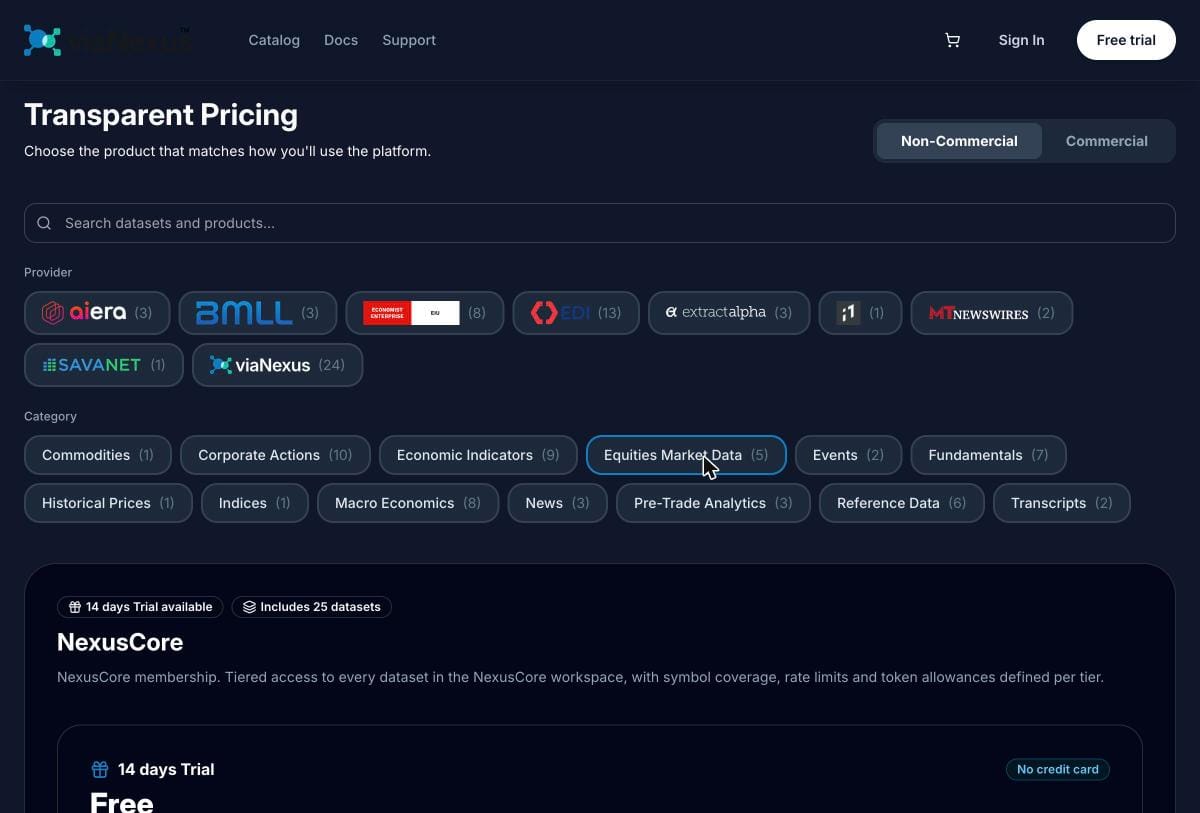
Data catalog: The viaNexus console shows every dataset with its full schema, field types, and sample values. The prices dataset is under the EDGE workspace. You can explore field names and query parameters before writing a line of code.
AI-powered exploration: Connect viaNexus to Claude through the integrations directory and ask "show me Apple's closing prices for the last week." The agent pulls the data live. The same connection works for fundamentals, earnings, news, and 40+ other datasets.
Start here
Create a free account (14-day trial, no credit card). The trial unlocks every dataset. Browse the catalog to see what is available and what each dataset costs after the trial.
Related
- Stock Fundamentals API — income statements, balance sheets, cash flow. Same URL pattern, same token.
- Earnings Calendar API — SEC-confirmed reporting dates, so you know when the next print drops.
- Financial Data for AI Agents — how Claude and Cursor use this data through MCP.
- MCP Server Guide — connection setup and tool reference.