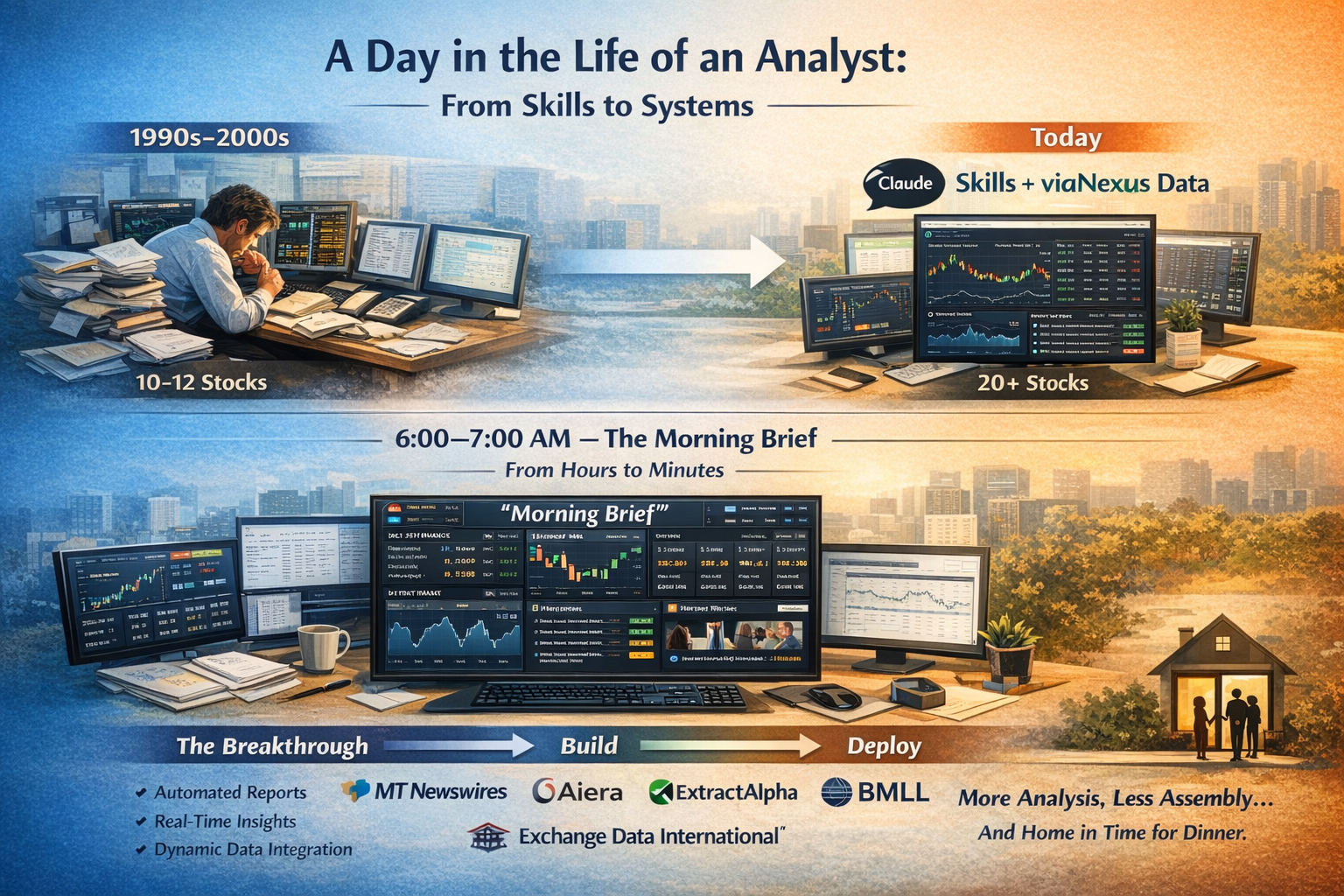
A Day in the Life of an Analyst: From Skills to Systems
I spent years as an equity research analyst through the 90s and 2000s—long days, fragmented workflows, and a constant race just to get to the starting line. Before you could think, you had to assemble. Data from everywhere. Notes stitched together. Models built under time pressure. Even at full tilt, coverage capped out at ~10–12 names.
Fast forward to today, and the structure of the day is still the same. What’s changed is how quickly you can move through it—and increasingly, whether you need to do it at all.
In a series of posts, I'll be reliving my days as a publishing analyst - but using viaNexus marketplace data and the modern tools available to all of us. I'll simplify a bit because I was also reading some of the content in Spanish!
6:00–7:00 AM — The Morning Brief, Reimagined
The first task of the day was always simple: Take stock.
- What happened overnight?
- Where are my names?
- What matters today and for the next few days?
That hour is now collapsing into minutes. Using Claude + Skills + viaNexus and partner data, we’ve rebuilt the morning brief from the ground up.
At its core, a Skill is a structured, repeatable workflow—essentially a highly tuned prompt that knows:
- What to pull (prices, news, events, estimates)
- Where to pull it from (permissioned, normalized datasets via viaNexus)
- How to present it (structured, interactive output)
A typical Morning Brief Skill pulls together data from multiple sources, and where necessary joins and reasons over that data:
- Stock and sector performance across your coverage
- Premium news (e.g., MT Newswires)
- Company context and prior earnings summaries
- Upcoming earnings with confirmed call times and calendar integration (e.g., Aiera, ExtractAlpha)
In this case, I had Claude write the skill for me - at least to do a first cut. Then I edited it directly once I had a good first stab from Claude. All in all took about 15 minutes! Then it's just "rinse-repeat".
Type “Morning Brief” and within 5 minutes you get a fully interactive dashboard—generated on demand, inside your context window. The video below shows the 5 minutes speeding up!
Speeded up version showing the morning brief being created
Not a PDF. Not a static report. A live, structured, filterable workspace.
Under the hood, it’s dynamically:
- Reading your coverage universe
- Pulling normalized data across datasets
- Joining and enriching in real time
- Rendering signals, summaries, and forward-looking workflows
It’s effectively rebuilding the institutional morning process—without the manual stitching.
Nothing special in that - I can just use Claude or OpenAI and give it access to the web. Let it scrape away. Well - aside from the fact that data is all over the place on the web, not normalized and will therefor requires a ton of reasoning to figure it out - if you are a professional that scraped data is also not licensed for professional use.... which you legal team won't appreciate!
The Breakthrough… and the Problem
This is where things get interesting. Because while this works—it works too literally. Every time you run the Skill:
- The data is pulled through the MCP protocol (vs a fast API)
- The same joins are re-reasoned (not a big deal for viaNexus data since its so standardized)
- The same interface is rebuilt from scratch (well its mainly the same)
- Multiple MCP calls fire in sequence
It’s elegant. But it’s also Slow, Expensive, and Wasteful. You’re rebuilding the same application… every single morning. At scale, that’s not just inefficient.
Imagine a department of 30 PMs and analysts all building skills the same way.
The right tool for the right job.
Skills are handy short cuts for often repeated prompts, but not idea for more complex queries - unless they are used infrequently. For more complex workflows, they are great at:
- Validating user experience
- Defining data dependencies
- Iterating quickly with AI
But once the workflow is proven, the path forward becomes might be:
- Take the Skill
- Hand it to Claude Code (or your dev stack, or IT team)
- Build a lightweight, persistent application
- Have the app connect directly to viaNexus APIs
- Have the app running continuously if you like.....
Instead of recomputing everything, every time. Same outcome, dramatically faster at a fraction of the cost with no redundant compute.
Why the Data Layer Matters
None of this works without the right data foundation. Skills—and the applications they evolve into—depend on:
- Permissioned, licensed datasets
- Reliable, high-quality sources
- Normalized structures across providers
That’s where viaNexus comes in—bringing together datasets from providers like:
- MT Newswires (for news)
- Aiera (for earnings transcripts and future events)
- ExtractAlpha (for earnings estimates)
- Exchange Data International (for reference data)
- BMLL Technologies (for pre-trade analytics)
- and more coming soon....
All normalized, permissioned, and ready to be consumed - by humans, applications, or agents. Most likely a combination.
The Payoff
The real outcome isn’t just efficiency—it’s capacity. For a publishing analyst:
- 12 covered stocks becomes 20 or more
- Manual prep becomes automated context
- Time shifts back to where it matters:
- Insight generation
- Company engagement
- Differentiated research
And maybe—just maybe - the analyst makes it home in time to tuck the kids into bed!
Getting Started:
While we are getting our own listing sorted, here is how to manually get started with viaNexus, our partners, Claude and Skills:
Go to Claude desktop, or claudu.ai
1) From your profile, go to settings
2) Select "Connectors"
3) Select "Go to customize"
4) hit + and "Add custom connector"
5) Name: whatever you like, the remote MCP server URL is https://vast.blueskyapi.com/vianexus/mcp. Also make sure all the Tools are enabled.
If you don't have an account, select viaNexus, and you'll be guided to sign up for free, 14 day trial.
Don't miss the next exciting episode: 7:00–8:00 AM